iOS 27 revitalizes CarPlay, introducing new features like custom widgets and audio enhancements. However, vehicle compatibility is key for many updates.
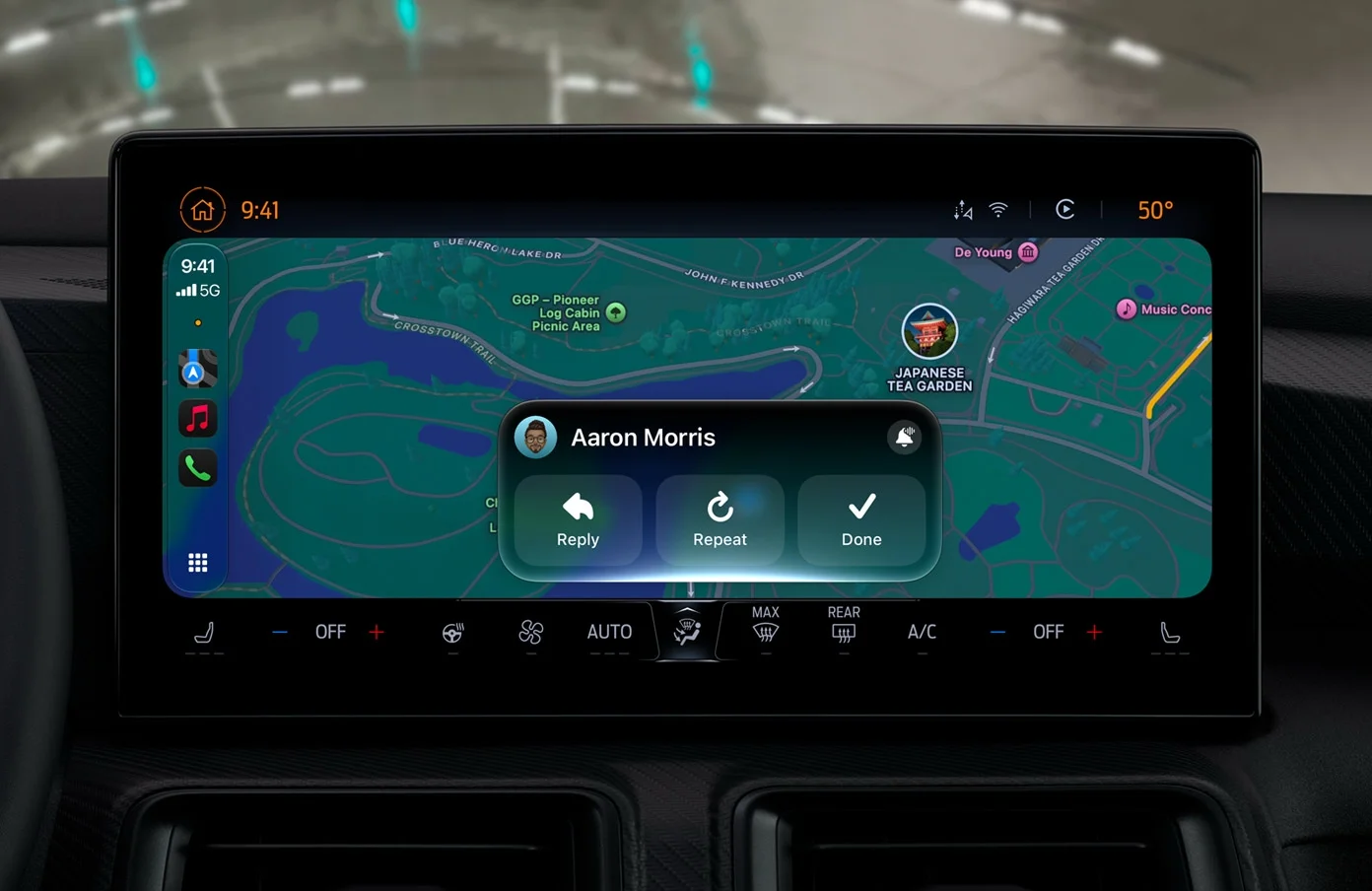
iOS 27 has introduced significant enhancements to CarPlay, marking one of the most notable overhauls in recent years. However, vehicle compatibility dictates which features users can fully leverage, making it vital to understand what's available for different car models. The disparities aren't just trivial; they can significantly impact your driving experience.
Universal Features for Any CarPlay-Compatible Vehicle
- Custom Widgets: CarPlay has expanded from Apple’s limited stock widgets, now allowing users to personalize their dashboard with any compatible widget from their iPhone’s Home Screen. This expansion reflects a broader trend in user-centric design where customization plays a key role in user satisfaction. To add new widgets, head to Settings ➝ General ➝ CarPlay, select your car, and then navigate to Widgets ➝ Add Widgets. Widgets can be rearranged, removed, and toggled for Smart Rotate and Suggestions. The real-time adaptability of this feature means users can tailor their driving experience, which is particularly advantageous for longer trips or navigating unfamiliar areas.
- Audio Scrubbing: The Now Playing screen benefits from a new progress bar, allowing for easier navigation through songs and podcasts via a simple drag motion instead of repeated taps. This feature seems small, but it enhances the overall usability of CarPlay, ensuring that drivers can stay focused on the road rather than fumbling with controls. The mini-player also remains visible, showcasing artwork and controls as users browse other apps, which adds to the multitasking capabilities without overwhelming the driver.
- Apple Music Filters: Users can now apply filters in Apple Music on CarPlay to neatly organize playlists, albums, and songs. Categories include "Favorites" and "All Playlists," with promises that third-party music apps will adopt similar functionality. This kind of streamlined organization is vital for drivers who may know what they want to listen to but not how to find it quickly amidst a cluttered interface. An efficient music experience is part of the broader in-car experience—one that Apple is clearly prioritizing.
- New Wallpapers: iOS 27 brings fresh wave designs to CarPlay, with 14 color variations based on a unified theme called "Celosia." This design features overlapping curves and soft shadows inspired by floral forms. While aesthetics may seem less critical compared to functionality, a visually appealing interface can make a significant difference in a user’s overall interaction with technology, potentially reducing distraction and improving satisfaction.
- Maps Enhancements: Navigation now supports natural language queries, allowing users to ask Siri for directions while specifying preferences such as avoiding tolls or highways. This feature is particularly relevant as voice-activated commands become more common in tech ecosystems; it reflects a growing expectation of seamless interaction between human language and machine response. Users now have a more intuitive way to request navigational adjustments, enhancing their journey.
- Improved Wireless Connectivity: Apple claims better reliability for wireless CarPlay connections in iOS 27, along with enhanced GPS accuracy and navigation heading detection, all accomplished without requiring new hardware. This improvement addresses longstanding issues that users have faced, especially in environments with poor signal strength. Reliable connectivity is paramount, as users depend on these systems for accurate and timely information while driving.
Features Requiring Specific Vehicle Support
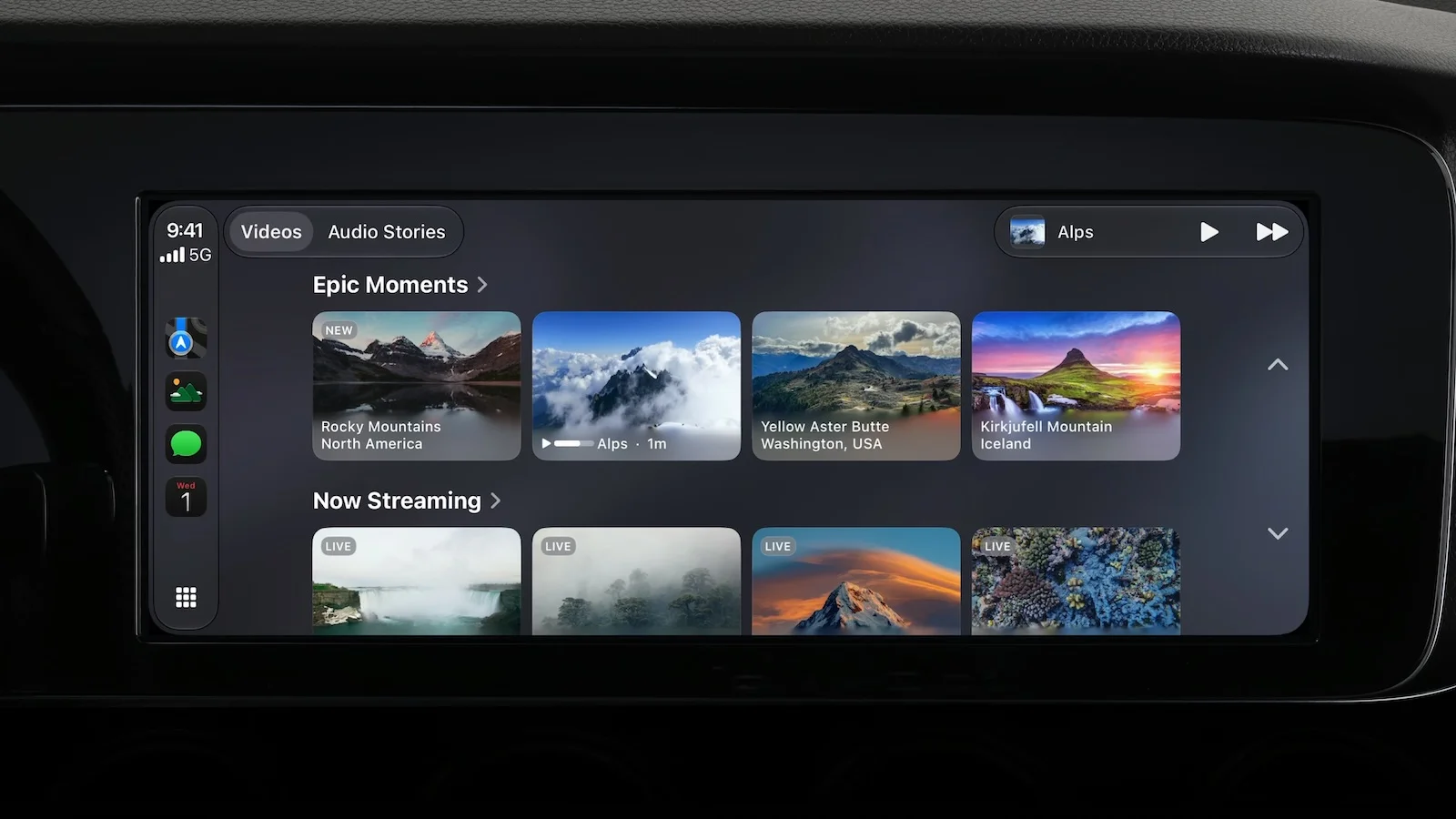
- Video Apps: Despite much anticipation, the ability to browse video content through CarPlay hinges on manufacturer support for AirPlay integration, meaning users must wait for automakers to enable this feature, which functions only when the vehicle is parked. This limitation raises questions about the balance between consumer expectations and manufacturer capabilities. It’s a classic case of technology outpacing infrastructure, and considering that many users may not think twice about their automakers' readiness, it showcases an area where communication is key.
- Route Sharing: Navigation apps can now transmit route data directly to the vehicle’s built-in systems, including EV charging stops. However, this capability again depends on whether the car’s manufacturer has integrated it. The potential for streamlined navigation—especially for electric vehicle owners—could make or break user satisfaction. While the feature is innovative, its actual utility rests solely on car makers’ willingness to adopt and implement these integrations.
Features Limited to Supported iPhones
- Enhanced Siri Interaction: The new Siri functionalities allow for more natural conversations, with context preserved across interactions. This could significantly change how drivers interact with their devices; however, a supported iPhone is a prerequisite for this feature, alongside joining a waitlist for early access. If you're working in this space, you'll have noticed the push towards contextual AI in consumer products. Yet, placing this feature behind a waitlist adds a layer of frustration for many potential users who want immediate access.
Future Developments
Apple has provided developers with a voice control template that can be utilized across various CarPlay apps. However, the broader adoption of this feature awaits individual developers to integrate it into their applications. This potential integration reflects an interesting tension in the tech space: while Apple provides the tools for innovation, the onus is on developers to pick up the baton and run with it. What this means for you, the end-user, is a waiting game that could either enhance or stagnate your app experience in the vehicle.
Implications and Future Outlook
The enhancements introduced in iOS 27 for CarPlay suggest a growing recognition of user control and customization. However, the effectiveness of these features is contingent on the cooperation of automakers and developers. If compatibility issues persist, the narrative around these advancements could quickly turn from excitement to frustration. Given the rapid evolution of automotive technology, the pressure is on manufacturers to keep pace with software changes that consumers expect. The future of how we interact with our vehicles is likely being shaped by these trends, pointing towards a more integrated experience that must balance user expectation and vehicle capability.
Final Thoughts
If you own a CarPlay-compatible vehicle and a recent iPhone with iOS 27, you’ll gain immediate access to features like personalized widgets, efficient audio controls, new aesthetics, and navigation improvements. For features like video playback and route sharing, users will need to wait for support from their car manufacturers. Those decisions affect your overall driving experience. iOS 27 was rolled out on September 14 and is currently available for download. It opens the door for exciting possibilities, but true optimization hinges on collective movement by both automotive and app software sectors.
This article, "Unlocking iOS 27: What CarPlay Features Will Enhance Your Driving Experience" first appeared on MacRumors.com
Discuss this article in our forums

Discussion
Sign in to join the discussion.