The Ahead package for time series forecasting now installs faster by making most dependencies optional, enhancing user experience and efficiency.
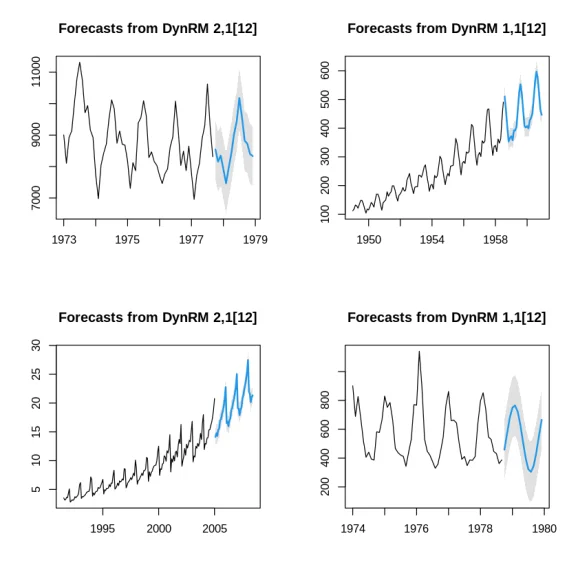
For those familiar with the ahead package, the installation process is often a bottleneck, requiring the loading of numerous modeling dependencies regardless of individual use. Fortunately, recent updates significantly improve this experience.
Challenges with Previous Installations
ahead caters to various forecasting methodologies, necessitating a range of additional packages—like forecast, randomForest, and glmnet—to operate effectively. Previously, these packages were specified as mandatory imports in the package's configuration file, leading to a cumbersome installation that required all dependencies to be loaded upfront. Users often faced delays during installations, even if they intended to use only a specific function.
The Solution: Redefining Dependencies
The updated installation protocol reclassifies most dependencies, allowing them to be optional rather than mandatory. This adjustment narrows the core packages required at the load time, significantly speeding up the installation process:
Imports:
Rcpp (>= 1.0.6),
foreach,
tseries
Depends: R (>= 3.5.0)
Suggests:
caret, cclust, dfoptim, doSNOW, doParallel, knitr, rmarkdown,
testthat, fpp2, glmnet, e1071, gam, quantreg, randomForest,
spatial, vars, roxygen2, ForecastComb, ranger, mboost, misc,
Mcomp, fGarch, VineCopula, forecast (>= 8.0),
ggplot2 (>= 3.0.0), randtoolbox (>= 1.17), simulatetimeseries
Consequently, the only requisite packages for installation now are Rcpp, foreach, and tseries. The transition to optional dependencies has transformed installation from a time-consuming affair into a process that usually completes in seconds.
Functionality Meets Flexibility
A revised internal function, check_suggested(), ensures that functionality remains intact while handling missing dependencies. This function checks whether a required package is installed and can prompt the user for installation only when necessary.
check_suggested <- function(pkg, ask = interactive()) {
if (requireNamespace(pkg, quietly = TRUE)) {
return(invisible(TRUE))
}
do_install <- TRUE
if (ask) {
do_install <- utils::askYesNo(
sprintf("Package '%s' is required but not installed. Install it now?", pkg)
)
do_install <- isTRUE(do_install)
}
if (do_install) {
utils::install.packages(
pkg,
repos = c("https://techtonique.r-universe.dev", "https://cloud.r-project.org")
)
}
if (!requireNamespace(pkg, quietly = TRUE)) {
stop(
sprintf(
"Package '%s' is required. Install it with install.packages('%s', repos = c('https://techtonique.r-universe.dev', 'https://cloud.r-project.org')).",
pkg, pkg
),
call. = FALSE
)
}
invisible(TRUE)
}
With this system in place, calling any function that requires an additional package first checks if it’s already installed. If not, the user is prompted during interactive sessions, while scripting environments automatically handle installations. This results in efficient, hassle-free usage for the end-user.
Optimizations in Python Wrapper
The enhancements in the R package also extend to the Python wrapper, which utilizes rpy2 to access the R functionality. Initially, the first call to any forecaster necessitated a lengthy installation process for R-side dependencies. However, with the updated R installation, the overhead during the first call from the Python environment has diminished, making for a faster start-up.
import os
import numpy as np
import pandas as pd
from ahead import DynamicRegressor, EAT
from time import time
# Forecasting horizon
h = 25
# Data frame containing the time series
df = pd.read_csv("https://raw.githubusercontent.com/Techtonique/datasets/refs/heads/main/time_series/univariate/AirPassengers.csv").set_index('date')
df.index = pd.DatetimeIndex(df.index)
print(df)
# univariate ts forecasting
print("Example 1 -----")
d1 = DynamicRegressor(h=h, date_formatting="ms")
print(d1.__module__)
start = time()
d1.forecast(df)
print(f"Elapsed: {time()-start} \n")
print("averages: \n")
print(d1.averages_)
print("\n")
print("ranges: \n")
print(d1.ranges_)
print("\n")
print("Example 2 -----")
d2 = DynamicRegressor(h=h, type_pi="T", date_formatting="original")
start = time()
d2.forecast(df)
print(f"Elapsed: {time()-start} \n")
print("averages: \n")
print(d2.averages_)
print("\n")
print("ranges: \n")
print(d2.ranges_)
print("\n")
d2.plot()
This optimization allows users to pay a smaller one-time cost for the dependencies upon the first invocation of a forecasting method, with subsequent calls executed with enhanced efficiency.
Real-World Benefits
- Accelerated CI and Docker Processes: No need to compile numerous packages for simple tasks, leading to quicker continuous integration builds.
- More Reliable Installations: Less chance of failing due to complex installations, allowing for a smoother setup process based on user needs.
- Customized Footprint: Users can select only the dependencies they need, resulting in a leaner installation tailored to their specific tasks.
If users prefer, they can still install all suggested packages at once to set up a comprehensive offline environment:
install.packages(
c("caret", "cclust", "dfoptim", "doSNOW", "doParallel", "fpp2",
"glmnet", "e1071", "gam", "quantreg", "randomForest", "spatial",
"vars", "ranger", "mboost", "Mcomp", "fGarch", "VineCopula",
"forecast", "ggplot2", "randtoolbox", "simulatetimeseries"),
repos = c("https://techtonique.r-universe.dev", "https://cloud.r-project.org")
)
Discover Ahead
- R users can find installation instructions on the Techtonique repository, version
0.38.1. - Python users can access the package using
pip install ahead --verbose, from ahead_python.
Feedback and contributions are encouraged across both repositories.
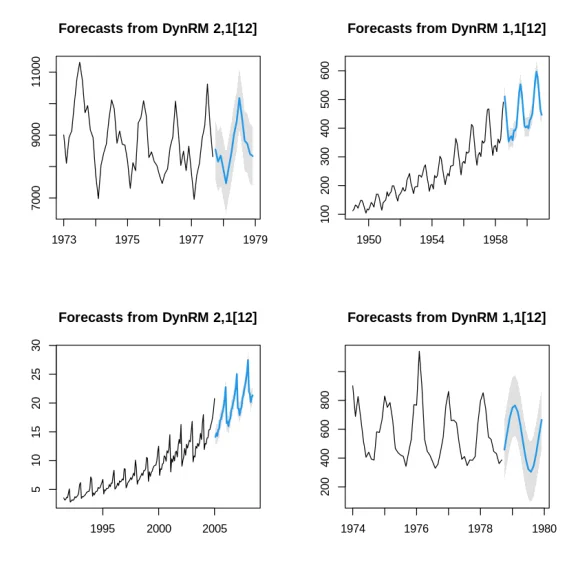
For further information and to join the discussion, check out the provided links and share your thoughts.



Discussion
Sign in to join the discussion.