SwiftKey's new AI voice typing feature, now in beta, offers speech-to-text capabilities similar to Google Pixel's Rambler, usable on any Android smartphone.
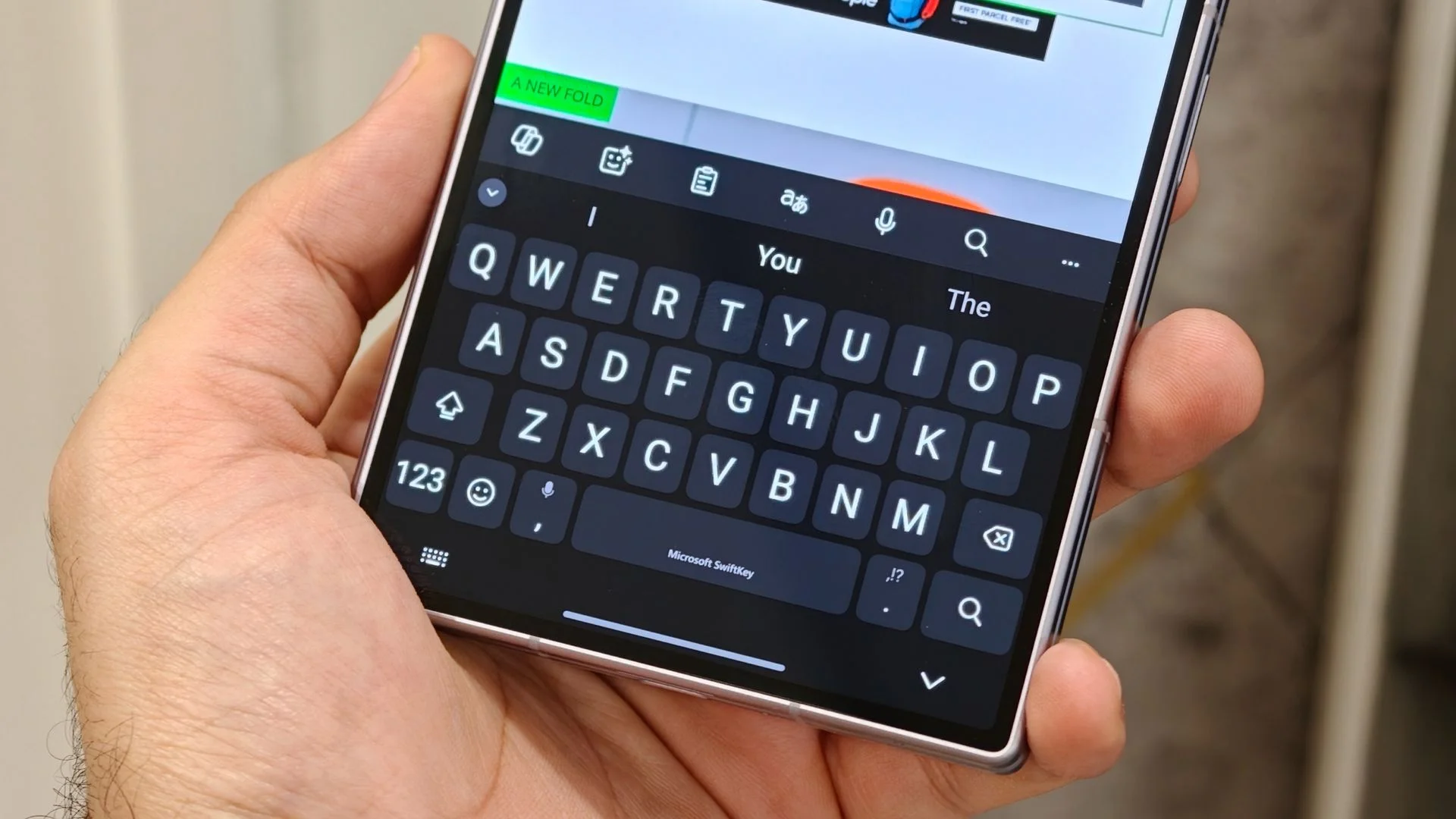
SwiftKey is stepping up its game with a new AI voice typing feature that's currently rolling out in beta. Unlike Google’s Rambler, which was designed for the Pixel 11 series, this capability opens the door for virtually any Android user to enhance their typing experience.
Background on AI Voice Typing
Voice typing has evolved significantly in recent years as AI technologies have become more sophisticated. Google's Rambler debuted with the Pixel 11, bringing a smart approach to voice typing by filtering out filler words and correcting mistakes in real-time. This represents a marked improvement over earlier systems that often struggled with accuracy and contextual understanding. SwiftKey, a popular keyboard app known for its predictive text capabilities, has now entered the fray with its updated beta version, 9.13.16.4. This version not only aims to mirror Rambler's funcitonality but also ensures compatibility across a broader range of devices, making it an attractive option for those not tied to a particular brand or ecosystem.
How the New Feature Works
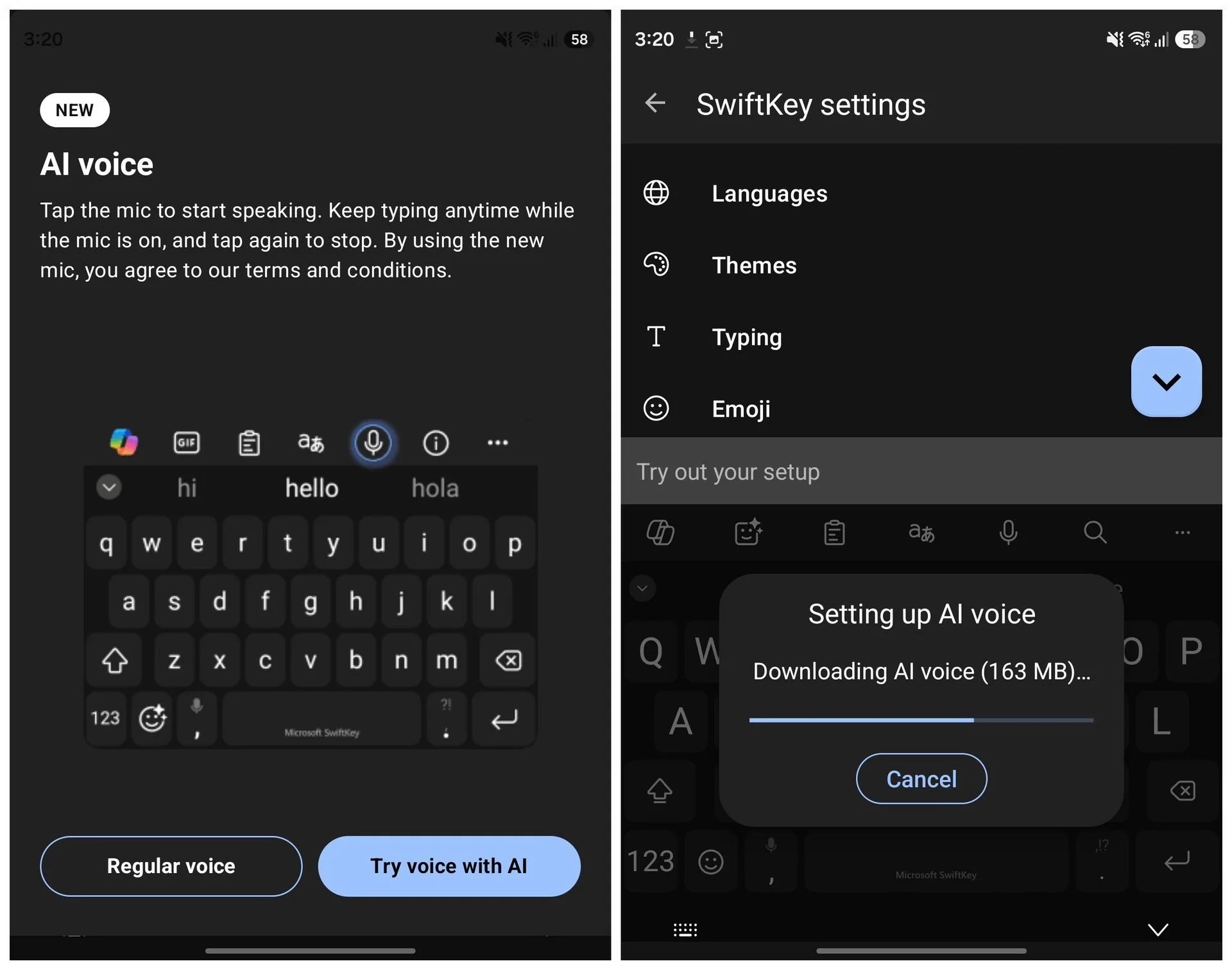
Activating the AI voice typing feature in SwiftKey is straightforward. Users simply tap the microphone icon within the SwiftKey interface, resulting in a quick guide on how the feature operates. The app captures natural speech and displays a visual waveform, which aids users in understanding what the AI is hearing. Once you finish speaking, SwiftKey processes your input and presents a polished text output. This process highlights the ongoing trend in tech toward more intuitive user interfaces, where voice commands and gestures are rapidly replacing traditional typing methods.
The technology underpinning this voice typing feature works by employing natural language processing (NLP) algorithms that can understand syntax and context better than many predecessors. This advancement signifies a pivotal moment for mobile communication tools, as they adapt to meet the ever-increasing expectation of speed and convenience. What's interesting to note is how this shift reflects broader societal trends, particularly as people seek ways to communicate more efficiently in a fast-paced digital world.
Offline Functionality
A notable strength of SwiftKey's voice typing feature is its ability to function entirely offline after downloading a voice model, which is approximately 163MB. This capability offers a significant advantage over Rambler, which requires a constant internet connection. In a recent test on my Galaxy Z Fold 8, I attempted to use the application without Wi-Fi or mobile data, and it performed flawlessly, accurately transcribing my speech. It's a refreshing take on a problem many users face: the lack of connection at critical moments.
Why does this matter? Because mobile users are often in situations where internet access is either spotty or non-existent. Think about it: you’re at a remote location or in an area where Wi-Fi isn't available; you want to jot down your thoughts or communicate quickly. SwiftKey's solution mitigates that issue, enhancing usability in scenarios where connections drop. This functionality exemplifies a practical approach to design that's not just for show. It addresses real-world needs.
Limitations and Opportunities
Despite its innovations, SwiftKey’s implementation comes with limitations. It lacks some functionalities found in Rambler, like tone modification, advanced text formatting, or automatic emoji insertion through voice commands. These features can enhance the user experience, allowing for more nuanced communication. Users accustomed to such capabilities may find SwiftKey wanting in some respects. But here's the thing: the ability to access this voice typing feature without being tied to a specific device makes it an interesting alternative for those looking to improve their speech-to-text capabilities without needing to invest in new hardware.
From a strategic standpoint, having a versatile tool like SwiftKey can be a boon for professionals who rely heavily on mobile communication. If you're curious to experience this feature firsthand, the latest SwiftKey beta is available for download on the Google Play Store.
Implications and Future Outlook
This latest development is more significant than it looks at first glance. With AI voice typing becoming mainstream, we might soon see traditional typing methods fade out of favor. If you’re working in this space, consider how this shift could impact workflows and communication strategies as more users adopt voice typing as their primary method of input.
The success of features like SwiftKey's offline voice typing will likely drive demand for similar functionalities across other platforms and applications. Companies may soon find it necessary to prioritize user experience in ways that prioritize flexibility and accessibility. The popularity of voice recognition tech can essentially dictate market trends and set benchmarks for what consumers expect from software in the future. Whether it’s productivity apps or communication tools, users will begin to gravitate toward options that offer reliable, innovative solutions — and those that don’t may find themselves left behind.

Discussion
Sign in to join the discussion.