The Pixel 11's Magic Capture sets it apart with user-friendly features that enhance photography, making it ideal for capturing fast-moving moments.
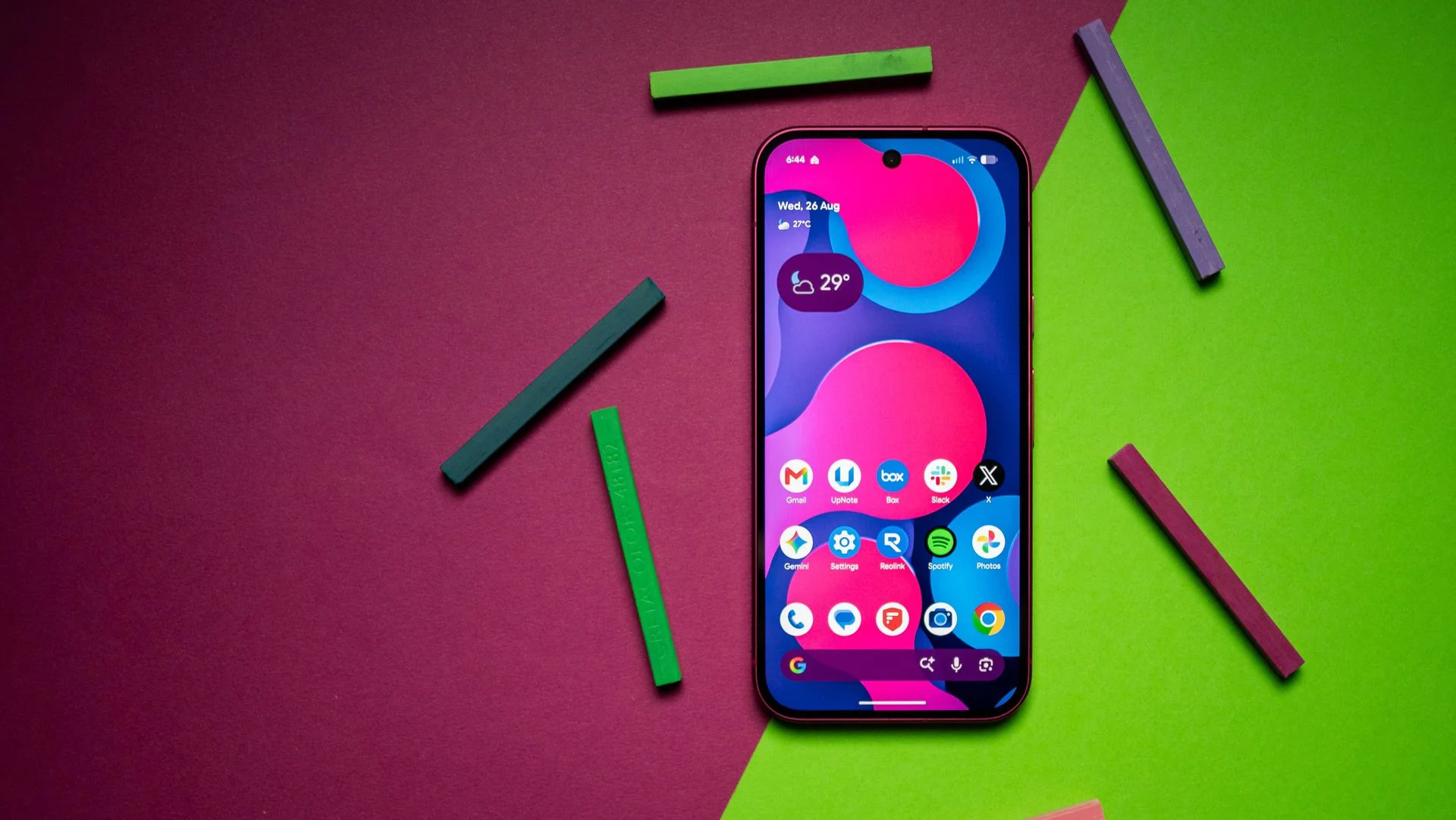
The Pixel 11 may not showcase significant upgrades over its predecessor or introduce new camera hardware as seen in its Pro counterparts, yet it distinguishes itself with a range of software and camera enhancements that add considerable value. While many flagship smartphones often flaunt hardware improvements year over year, Google's focus on software-centric features is becoming increasingly notable. This design philosophy aims to maintain user engagement while providing practical enhancements that often lead to a better user experience without needing substantial hardware changes.
The Pixel 11 and the Value of Software
The Pixel line has always been recognized for its software prowess, and the Pixel 11 is no exception. It continues Google’s tradition of prioritizing intelligence over mere specifications. The device may not turn heads with radical hardware implementations, but the software upgrades can optimize existing features to make a noticeable difference. This approach speaks volumes about how technology companies are increasingly shifting their focus from raw specifications to user experience. In a market saturated with powerful hardware, it's refreshing to see a manufacturer bring forward functional improvements that enhance everyday tasks. While others might shove in higher megapixels or faster chips, Google's incremental changes in software could serve to draw in users who appreciate functionality more than flashiness. The real strength of the Pixel 11 may lie in its ability to deliver these refined experiences at a competitive price point compared to those ultra-premium flagships.
Understanding Magic Capture
Magic Capture is the standout feature of this device, reflecting Google's commitment to enhancing photo quality through AI. This mode automatically initiates video capture with the simple press of a shutter button. Once engaged, it uses sophisticated on-device AI to identify the optimal frame for a high-resolution HDR still image. This technique not only aids in capturing moments effectively but enhances the overall photographic output, making it especially beneficial for users who frequently photograph fast-moving subjects. This feature is particularly advantageous for parents trying to capture children in action, significantly reducing the chances of blurry images. It’s often frustrating when you miss that perfect moment due to a slow camera response. Magic Capture mitigates this with a method that's efficient and user-friendly. My experience using it extensively on the Pixel 11 Pro XL confirms its reliability, making me appreciate its availability on the standard Pixel 11. Interestingly, Magic Capture allows users to access a series of captured images alongside the video footage. The video isn't recorded in 4K resolution, but that's not really the point here. The real aim is to provide stellar HDR photos that highlight the best moments, capturing them in a way that feels deliberate and well-executed. With on-device processing for speed and efficiency, the camera becomes a reliable companion in everyday life.
How to Activate Magic Capture
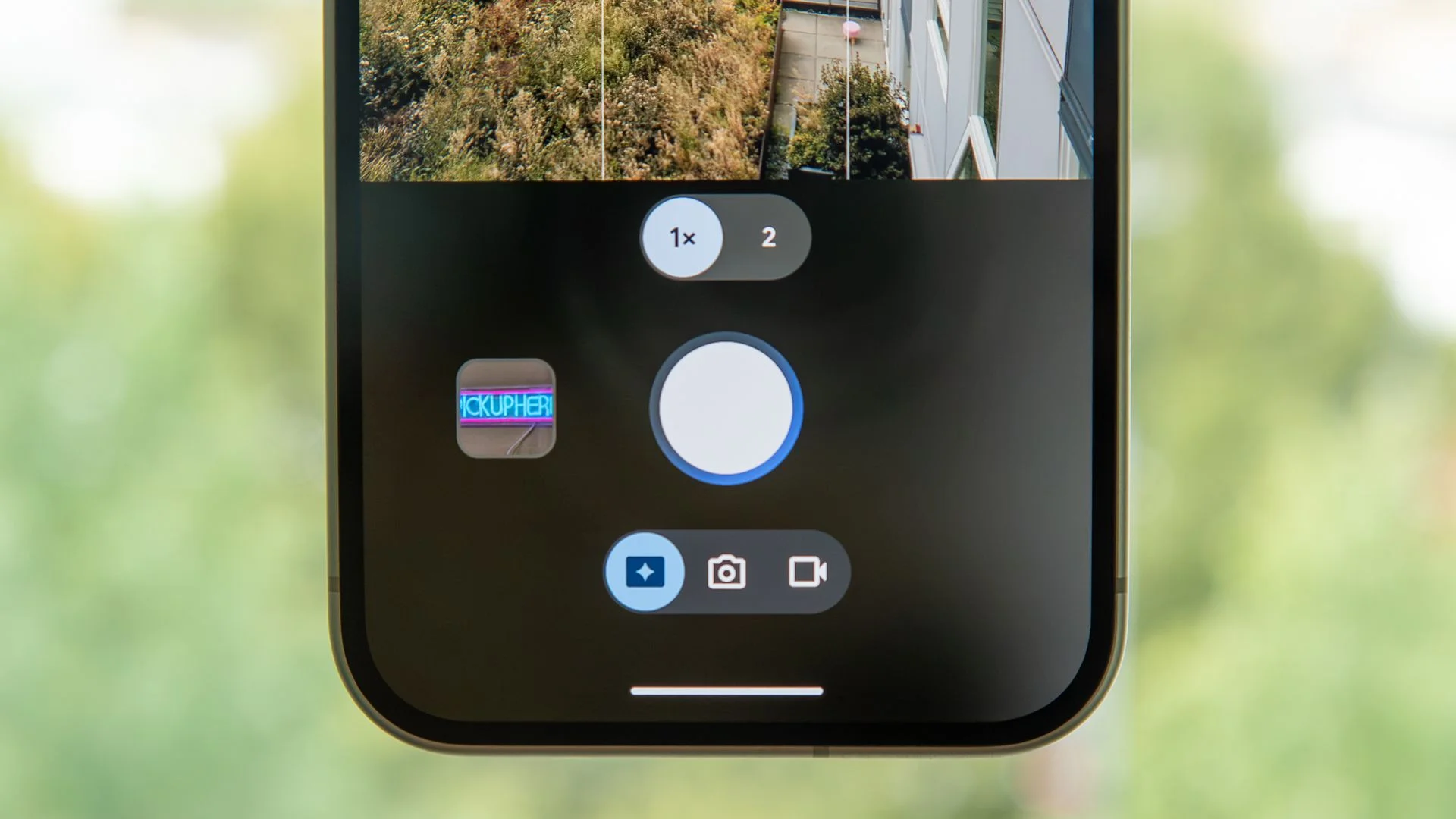
While Google has made controlling the viewfinder somewhat complicated—combining Video mode with Photo mode—accessing Magic Capture is straightforward. Here’s how to do it:
- Open the Camera app on your Pixel 11.
- Select Photo mode.
- Enable Magic Capture using the toggle in the bottom row.
This simplicity is key. Although some users may feel overwhelmed with the merging of video and photo modes, finding the Magic Capture feature isn’t a hassle. While I have a preference for the cameras on the Pixel 11 Pro XL, it's promising to see the standard Pixel 11 receiving substantial software enhancements. The image processing algorithms that Google is known for have seen improvements resulting in noticeably better photo quality. Plus, features like Camera Looks enhance the overall photography experience by giving users more tools to express their creativity.
Implications and Future Outlook
What does this all mean for Google and its smartphone ambitions? As the competition heats up with brands relentlessly pushing new hardware, Google’s stance on enhancing its software capabilities might just pay off. This is more than simple vanity; it suggests a shift in strategy where the focus on practical, user-friendly features can sustain long-term customer loyalty. If you're working in this space, keep an eye on how consumers respond to this approach. The demand for more user-friendly experiences might offer insight into future product developments across the industry. And yet, potential buyers might question whether software enhancements are enough to justify an upgrade. After all, the camera hardware hasn’t changed dramatically from last year. As consumers become more savvy, manufacturers will need to continually demonstrate how their software updates genuinely improve the user experience. This can be particularly important for competing with brands that are constantly pushing the latest in hardware advancements. The space might be crowded, but Google's emphasis on intelligent software could either carve out a loyal following or risk being overshadowed by flashier alternatives. The future will depend on how well Google can capitalize on these enhancements while also staying relevant in a rapidly shifting market.

Discussion
Sign in to join the discussion.